How to export flashcards from DuoCards
DuoCards exports flashcards as CSV. You can export your own decks, but not shared decks from other users. Follow the 3 steps below — or scroll down to download a sample export file.
Platform: iOS / Android / WebOwn decks: YesOthers' decks: NoCSV
Step-by-step guide
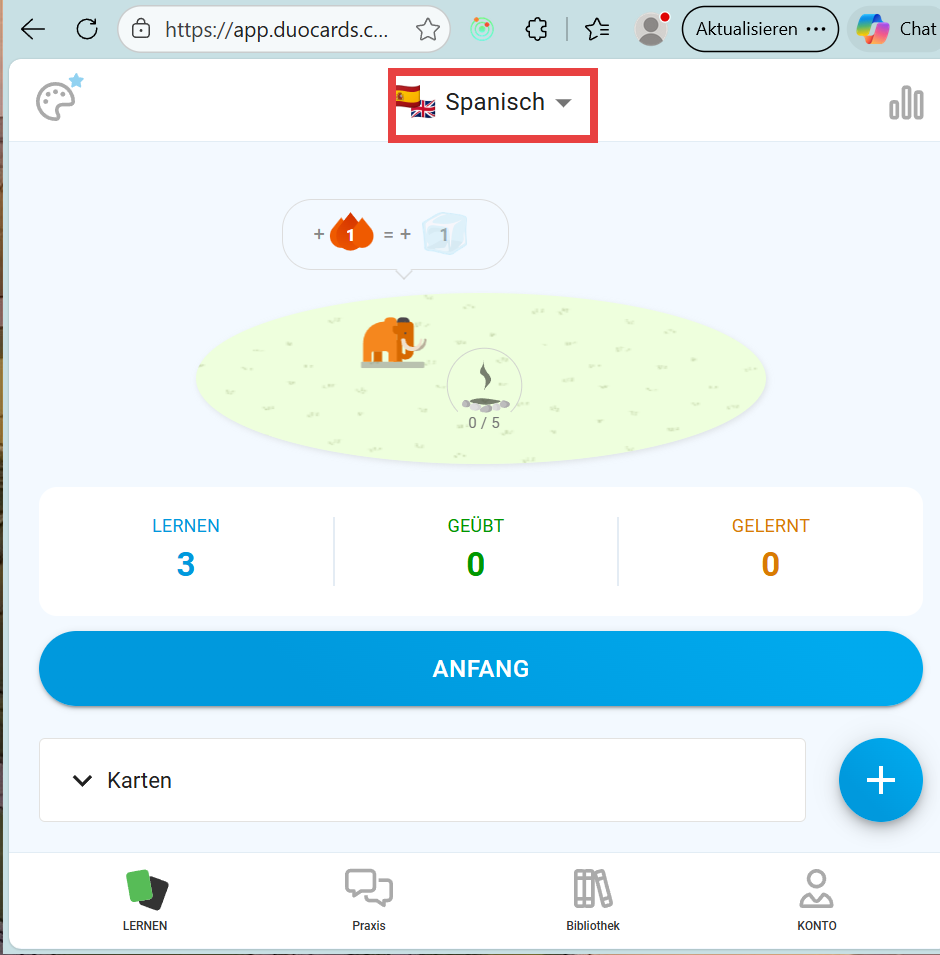
- Sign in and choose languageOpen [app.duocards.com](https://app.duocards.com/) in your browser and sign in. At the top of the page, select the language whose cards you want to export.
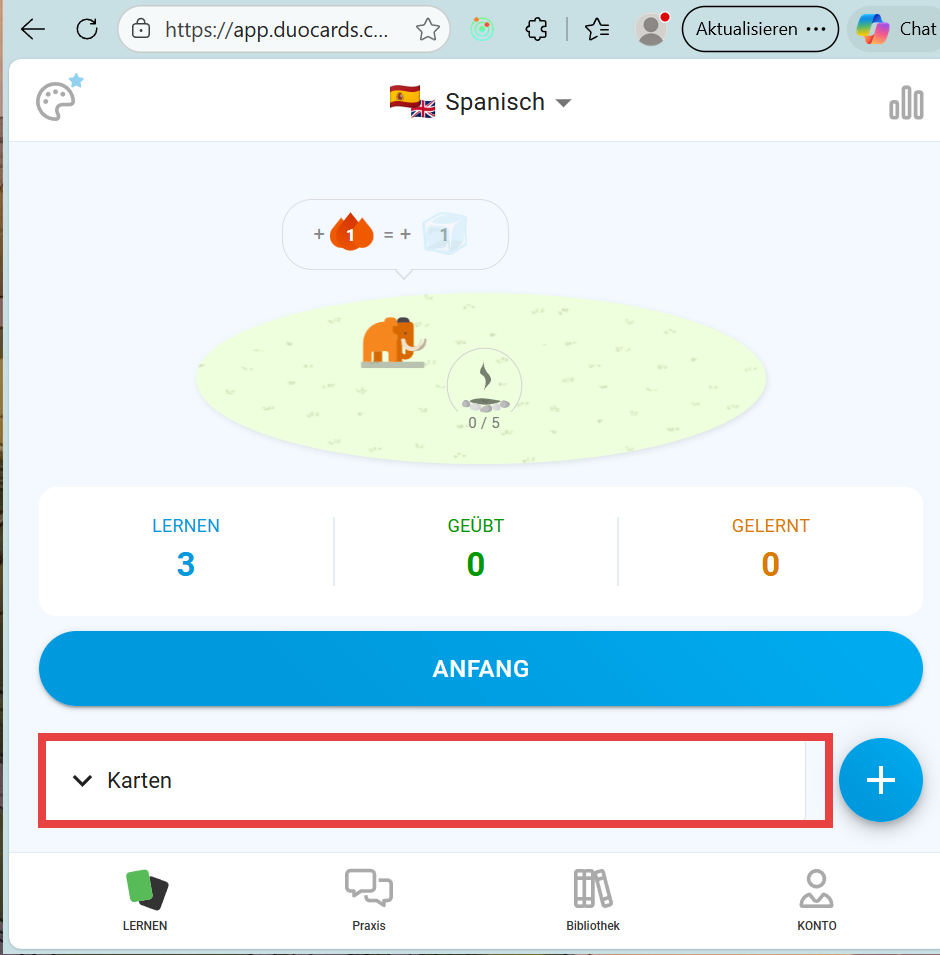
- Open the Karten sectionScroll down on the main page until you see the Karten (Cards) section. Click on it to expand — all your vocabulary cards are now visible.
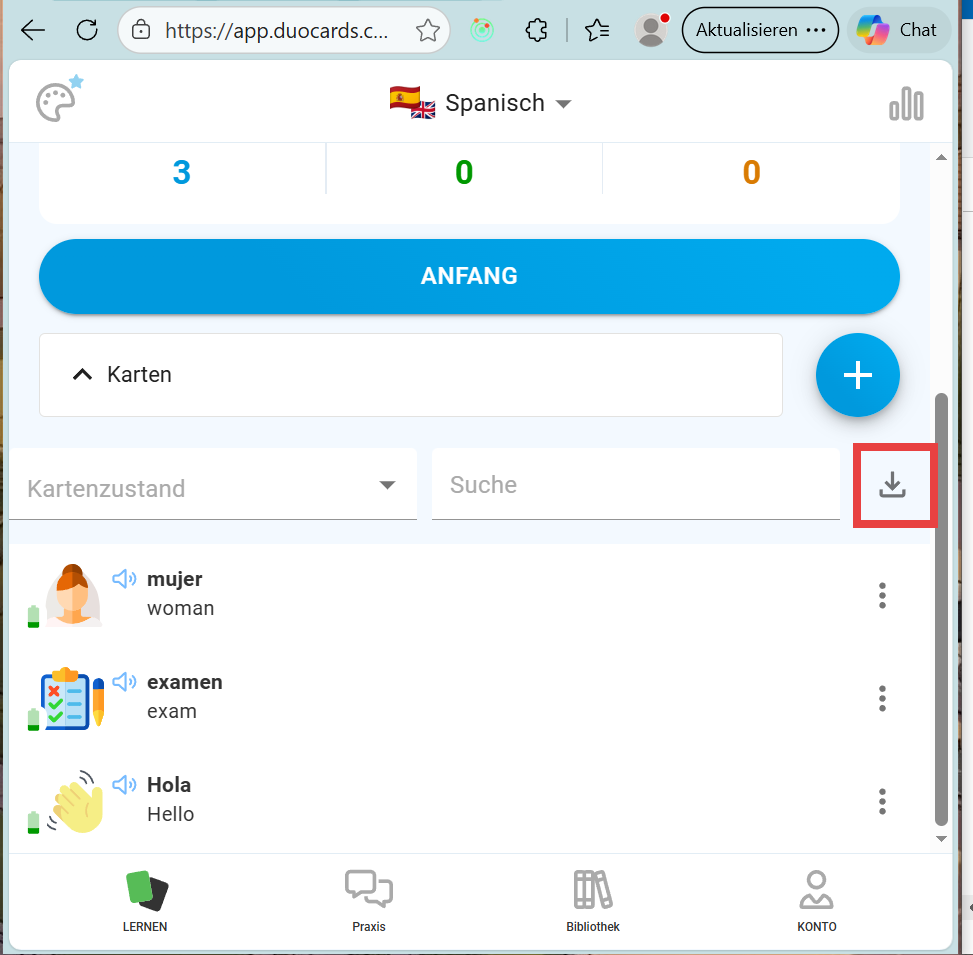
- Click the download iconIn the top right of the cards section, click the download icon (↓). The CSV file is automatically downloaded by your browser.
Sample export file
Real sample export from DuoCards containing 5 English → Spanish flashcards. Inspect the format before exporting your own data.
Get DuoCards
Frequently asked questions
What file format does DuoCards export to?
DuoCards exports your flashcard data as CSV.
Can I export my own decks from DuoCards?
Yes, you can export your own decks from DuoCards. See the step-by-step guide above.
Can I export shared or other users' decks from DuoCards?
No, DuoCards only allows exporting your own decks — shared or other users' decks cannot be exported.
On which platforms is DuoCards available?
DuoCards is available on iOS / Android / Web.
Is there a sample export file I can download?
Yes. A sample export file is available on this page. It contains 5 example flashcards (English → Spanish) so you can inspect the exact format DuoCards produces before exporting your own data.
Related export guides
DuoCards is a trademark of its respective owner. This page references the app for informational purposes only and is not affiliated with, endorsed by, or sponsored by the makers of DuoCards. All screenshots are used under fair use to illustrate the export process.